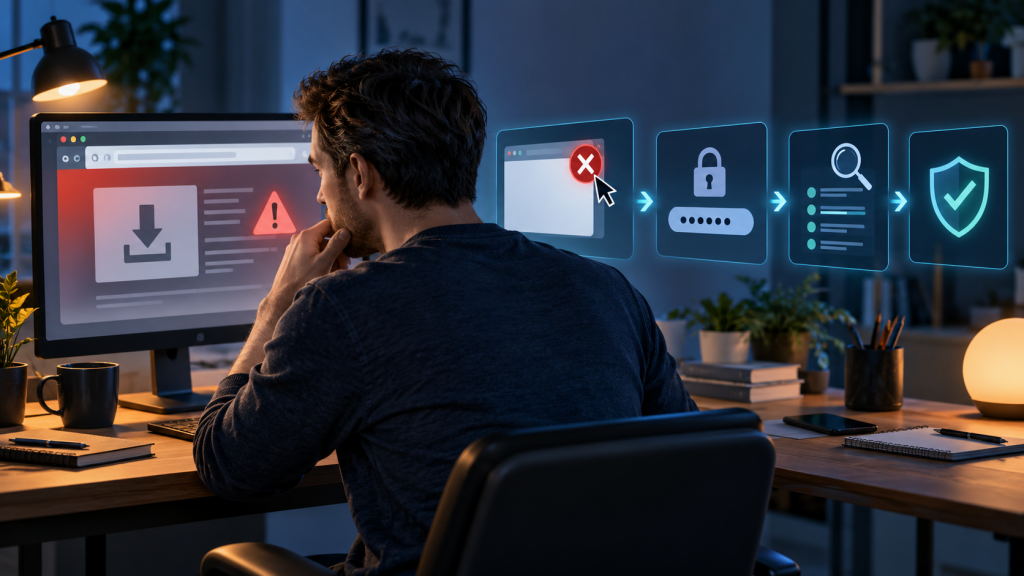
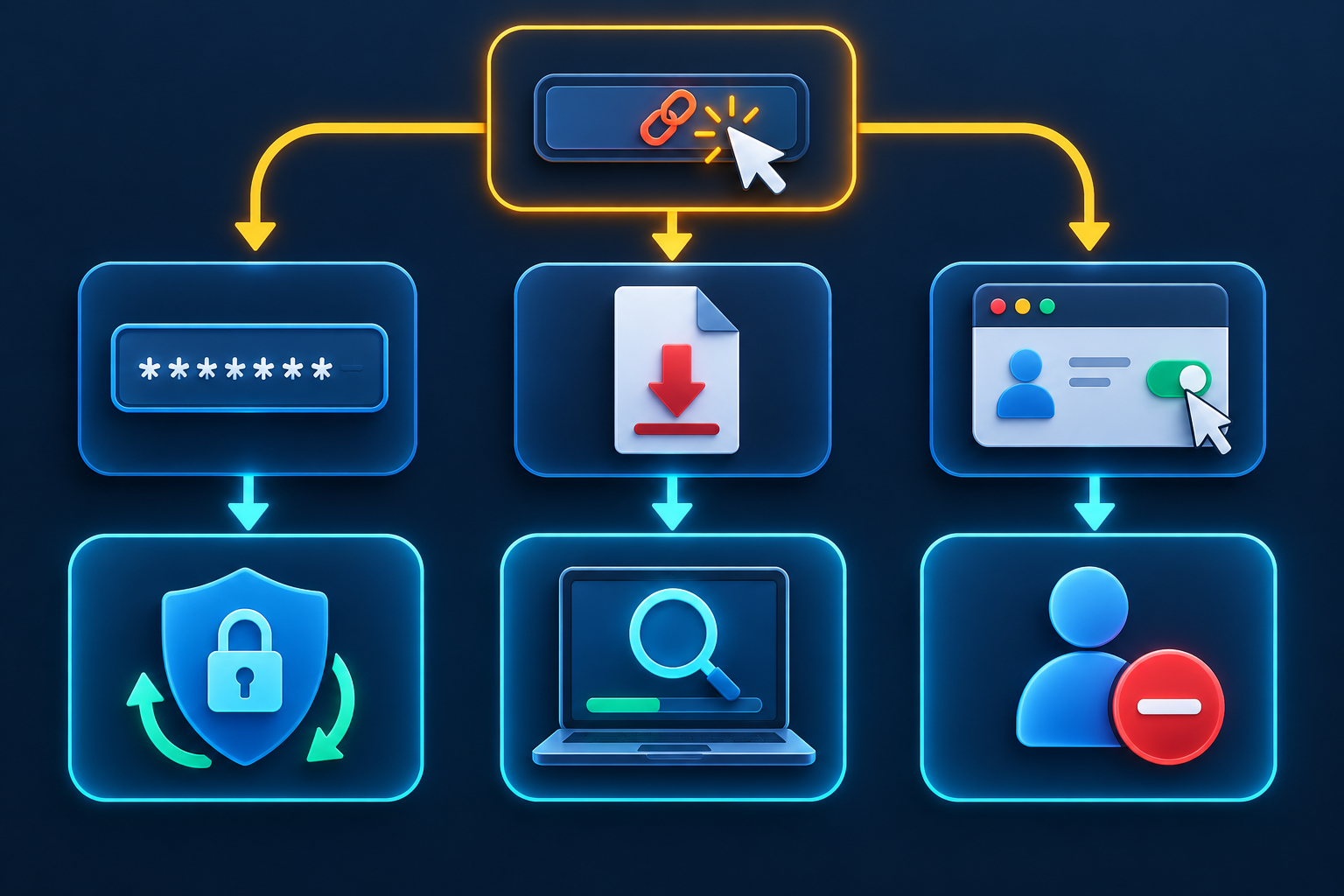
Clicking a suspicious link is not a single, uniform incident. One person may open a harmless-looking page and close it. Another may enter a password, approve a sign-in, allow browser notifications, download a file, install an app, or send money. The response should match the action that actually occurred.
Start by stopping further interaction. Do not return to the page to “check,” do not call the number it displayed, and do not follow a second message offering help. Then reconstruct the event in small steps. A calm, accurate timeline will protect you better than either assuming nothing happened or factory-resetting every device without understanding the exposure.
Do these things first
- Close the page and stop the conversation. If a download prompt is still open, cancel it. Do not grant a permission just to dismiss the prompt.
- Note what happened. Record the time, the message channel, the displayed website address, and every action you took. Take a screenshot if it can be done without reopening the link.
- Disconnect only when there is an active threat. If a suspicious installer is running, remote-control software appeared, or someone is controlling the device, disconnect Wi-Fi and mobile data. A simple page visit does not always require taking the device offline.
- Switch to a trusted device for account recovery. If you installed or ran something suspicious, do not use that device to change important passwords until it has been assessed.
- Tell the right person. On a work or school device, contact the security or support team promptly. Do not hide the click; early logs can be valuable.
Choose the response level that fits
Read through the levels below and use the highest one that matches. If you are unsure whether a file ran or a permission was granted, treat that uncertainty as a reason to check the device and account settings, not as proof of compromise.
Level 1: you opened the page and did nothing else
Close the tab. Check the browser’s download list to make sure no unexpected file arrived, but do not open a suspicious file to identify it. Review whether the page asked for notifications, camera, microphone, location, clipboard, or pop-up permission. If you denied the request or never saw one, there may be nothing to revoke.
Update the browser and operating system. Modern browsers isolate websites and block many known harmful destinations, but protection is not perfect and a newly discovered vulnerability can exist. If the device and browser were current, no file ran, no information was entered, and no permission was granted, monitoring may be more appropriate than an extreme reset.
Clear the site’s stored data if you want to remove cookies and local storage associated with it. Clearing all browser history is not a substitute for checking downloads, extensions, notification permissions, or accounts.
Level 2: you allowed browser notifications or another site permission
A website can use notification permission to send alarming “virus found” or “account hacked” messages even after its tab is closed. Those notifications are not proof that the device is infected. Open the browser’s settings, locate site permissions, and remove or block the site. In Chrome, current controls are under Privacy and security and Site settings on computers; mobile labels vary by platform.
Also review camera, microphone, location, pop-up, and redirect permissions for the site. Resetting the site’s permissions is often cleaner than changing one control at a time. If the page persuaded you to install a browser extension, move to Level 4.
Level 3: you entered a password, code, or personal information
Use a trusted device to open the real service directly. Change the exposed password immediately and replace it anywhere else it was reused. Then end unknown sessions, review signed-in devices, and inspect recovery email addresses, recovery phone numbers, passkeys, multi-factor methods, backup codes, and connected applications.
If you entered a one-time verification code or approved a push notification, assume the attacker may have completed a sign-in. A password change alone may not cancel every session. Use the provider’s explicit sign-out, session-revocation, or device-removal controls.
For an exposed email account, check:
- forwarding addresses and mail rules;
- delegates and shared-mailbox access;
- sent and deleted messages;
- new app passwords or connected applications;
- security alerts that were marked read or deleted.
If you shared identity details, record exactly which fields: full name, address, date of birth, government identifier, document image, security answers, or account number. The recovery action depends on the information and country. Contact the relevant institution through an official route and use your national identity-theft reporting service where appropriate.
Level 4: you downloaded, opened, or installed something
A downloaded file that was never opened presents a different risk from an installer that ran. Remove the file without opening it and empty it from the recycle or trash area if your organization’s evidence policy permits. If you opened a document, enabled macros or content, ran an installer, added an extension, installed a mobile app, or accepted a device-management profile, treat the device as potentially affected.
Stop using it for sensitive activity. Update the built-in security software and run the platform’s recommended scan. On Windows, Microsoft provides quick, full, and offline scan options through Windows Security. The offline scan can be useful when persistent malware may hide while the normal system is running. Follow the results and preserve the detection name and action.
On Android, review recently installed apps, device-administrator roles, accessibility access, notification access, VPNs, and Google Play Protect status. On an iPhone or iPad, check Settings for unfamiliar apps and review General > VPN & Device Management for a profile you did not intend to install. Apple notes that removing a profile also removes settings, apps, and data associated with it, so work- or school-managed devices should be handled with the administrator.
Security tools cannot guarantee that every device is clean. If high-value information was exposed, suspicious control continues, or the device handled organizational data, seek professional or IT assistance. A verified factory reset may be appropriate, followed by careful restoration, but it should not erase evidence needed by an employer or investigation without coordination.
Level 5: you granted an app access to an online account
Some phishing pages use a real provider consent screen. Instead of stealing the password, they persuade you to authorize an outside app to read mail, files, contacts, or calendar data. Revoke the app from the account’s connected-app page, then review what it could access and what changed.
For Google accounts, the connected-app cleanup guide explains the difference between removing access, stopping Sign in with Google, unlinking an account, and deleting data held by the provider. Other platforms have similar authorization pages.
If the app had permission to manage data, check for mail sent, files shared, calendar events created, or content deleted. Revocation stops future authorized access but may not delete copies the app already collected.
Level 6: you gave payment details or sent money
Contact the bank, card issuer, or payment provider through its official app or a verified number. Explain whether you typed card details, disclosed online-banking credentials, approved a transfer, bought gift cards, or sent cryptocurrency. Do not wait for a charge to settle before reporting the exposure.
Lock or replace the affected card as advised, review recent transactions, and save transaction identifiers. Payment methods have different dispute processes, and recovery is not guaranteed. Ignore anyone who asks for an upfront payment to recover lost funds; recovery scams often follow the first incident.
If the page claimed your device had a virus
A web page cannot prove a systemwide infection merely by showing a flashing warning, countdown, siren, or list of supposed files. Do not call the displayed support number, install its “cleaner,” or give a stranger remote access. Close the browser. If the warning returns as a notification, revoke the site’s notification permission. If it returns only on one startup page, check browser startup and extension settings.
Run the device’s legitimate security scan from its own settings, not from the advertisement. If you already installed remote-support software, uninstall it, check whether it starts automatically, revoke unattended-access settings, and review accounts used during the session.
If the suspicious link came from a real contact
Contact the person through another known route. Their account may be compromised, or an attacker may be imitating them. Do not send the live link back as your first question. Describe the message and time instead. Report the message on the platform so the provider can evaluate the sending account.
Use the phishing, smishing, and quishing comparison to identify how the delivery channel shaped the attack.
If you entered only an email address or phone number
An address or phone number alone usually does not give an attacker direct account access, but it can confirm that a person responds to the story. Expect more targeted messages. The next contact may repeat the name of the service, refer to the original incident, or claim to be a fraud specialist helping you finish the recovery.
Do not abandon an important address automatically. Strengthen the connected account, turn on appropriate spam filtering, and verify that recovery settings are correct. Be more cautious with messages that use the same pretext. If you created an account on the suspicious site or supplied security answers, treat those credentials as exposed and replace anything reused.
Keep the original message so you can recognize the follow-up narrative, but do not engage with it. Reporting and blocking are safer than testing whether the sender is real.
Watch for persistence after the first cleanup
Over the next several days, look for:
- new login alerts or password-reset messages;
- unknown sessions, devices, passkeys, or recovery methods;
- mail forwarding, rules, or messages you did not send;
- browser notifications from unfamiliar sites;
- new apps, extensions, profiles, VPNs, or accessibility services;
- charges, transfers, or credit activity you do not recognize;
- contacts receiving messages in your name.
If activity returns, do not repeat only the first password change. Find the persistence point: an active session, linked app, email rule, compromised recovery account, stolen phone number, remote-access setting, or affected device.
Preserve a useful incident record
Write a short timeline with the message, link or displayed domain, device, browser, actions, credentials or information entered, files, permissions, alerts, and recovery changes. Save report numbers and support case IDs. Redact secrets before sharing the record.
This record helps an employer, bank, platform, or technician respond without guessing. It also prevents a stressful incident from becoming a vague memory.
What not to do
- Do not revisit the page from another device merely to inspect it.
- Do not upload a suspicious file to a random online scanner if it may contain private or work data.
- Do not assume an incognito window makes a harmful site safe.
- Do not change every password on a device that may be controlled by malware.
- Do not pay a “hacker” or recovery agent who contacts you after the incident.
- Do not delete evidence required by your organization before speaking with its security team.
The practical recovery rule
Match the response to the deepest action: page visit, permission, credential, authorization, installation, or payment. Secure accounts from a trusted device, check for persistence, and use official reporting routes. Clicking is the beginning of the diagnosis, not the final verdict.