Your WhatsApp opens normally and messages still arrive. Then you notice a browser or companion device you cannot explain in Linked devices. Your phone continuing to work is not an answer to that finding: linked devices are designed to operate alongside the primary phone.
Before calling the entry an intruder, compare it with devices you actually use. A work computer, an old browser session or a recently linked tablet can have a less familiar label than you expected. Investigate the specific entry; do not rely only on a vague feeling that the device name looks strange.
Linking and registration are different actions
WhatsApp supports linking another device using a QR code or a phone-number linking flow. That is distinct from registering your phone number as a primary account on a new phone. Do not scan an unexpected linking QR code or complete a linking-code request to receive a prize, vote in a poll or “verify” a support conversation.
An unsolicited request is the warning, regardless of whether the sender is someone you know. A compromised contact can send a real message from a real account. Verify a request through a separate trusted route, especially when it asks you to approve account access.
Check the list from your primary phone
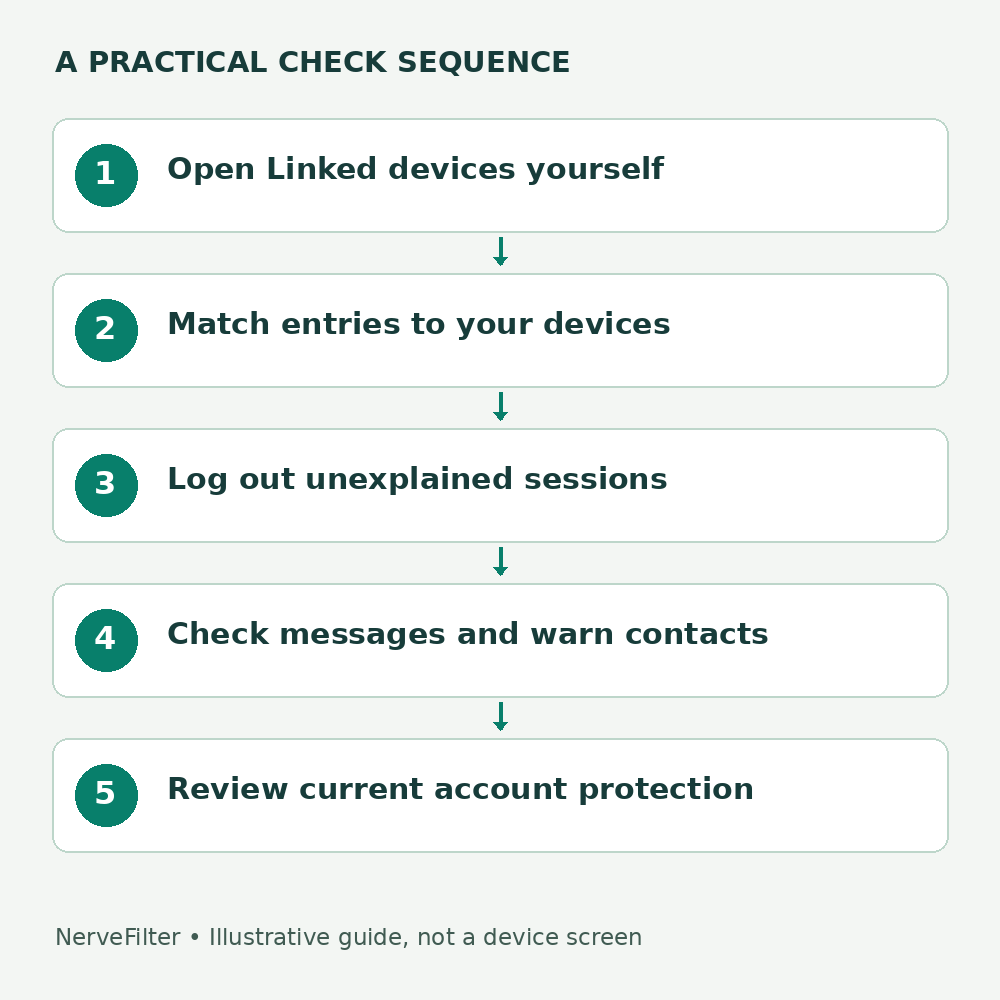
- Open WhatsApp yourself. On Android, look in the three-dot menu for Linked devices; on iPhone, look in WhatsApp Settings. Labels can change with the app version.
- Review every entry against the computers, browsers, tablets or companion phones you knowingly linked.
- Open an unexplained entry and use its Log out/unlink control. WhatsApp documents unlinking through the primary phone as well as through the linked device itself.
- Return to the list and confirm the session is gone. Check again if you receive another unexpected linking request.
When uncertain, signing out an old session you no longer need is usually a sensible cleanup; you can deliberately link your own device again. Keep a private note of the entry and time before removing it if suspicious messages or other evidence may need reporting.
Do not infer more than the evidence supports
An unfamiliar linked device establishes an unexplained access relationship. It does not identify the person behind it, establish exactly which conversations were read or date the first exposure. A last-active time is a useful clue, not a complete forensic history.
WhatsApp’s end-to-end encryption protects message transport between authorized devices. It does not make a device you authorized by mistake trustworthy. Avoid promising contacts that “encryption means nothing was visible” when you have not investigated the session.
If suspicious messages were sent
Warn affected contacts through a route you can trust. State what you know: an unexplained session was removed, and messages requesting money or codes should be independently verified. Do not claim to know the attacker’s identity. If a contact paid, they should promptly contact their payment provider through a verified route.
For example: “Please verify with me by phone before acting on today’s payment request. I found an unexplained linked session and signed it out.” This is illustrative wording, not a message we have sent. It communicates a practical action without claiming that every conversation was exposed.
If WhatsApp says your number was registered elsewhere
That is a different recovery branch. Use WhatsApp’s official compromised-account instructions to re-register the account and regain access. Never send the registration code to someone claiming to help, and never pay an unofficial “account recovery” agent. If your mobile number has stopped working, involve the carrier and follow the SIM-swap response sequence.
Review Linked devices after recovery instead of assuming that one successful sign-in completes the investigation. Also inspect the phone itself if another person had physical access or remote-control software may be installed.
Protect the next linking decision
Update WhatsApp and review its current Account security settings. Meta announced stronger two-step verification and additional passkey support in August 2026; availability and screens may vary. Follow the options shown in your official app rather than assuming that an older tutorial’s six-digit PIN screen will match every account.
Account protections help, but they do not make a deliberately approved unfamiliar device safe. The useful habit is to link only a device you control, for a task you initiated, and to remove sessions you stopped using. For the broader distinction between sessions and device history, see our account-access inventory guide.
Reviewed October 3, 2026. Documentation-based guide; no private account was accessed or tested for this article. Diagram: original illustrative access map.