
Getting back into WhatsApp and getting your old conversations back are two different jobs. A passkey used to sign in to an account does not, by itself, prove that an encrypted chat backup exists or that you can unlock that backup on a replacement phone. Before you erase or trade in the old device, check the saved chat copy and the credential that protects it separately.
WhatsApp announced passkey-encrypted backups on October 30, 2025. The useful question now is not whether a headline calls the feature new. It is whether your own app offers it, where its credential is kept and whether the recovery route will still be available when the original phone is gone. This guide explains those checks without asking you to reinstall WhatsApp or risk the only working copy of your chats.
Two passkey settings can solve different problems
An account passkey helps establish access to your WhatsApp account. A backup passkey protects the recovery of the saved chat history. Those purposes can appear close together in product announcements, but you should not treat a completed sign-in setup as evidence that the chat-backup setup also finished. Follow each setting to the description of what it actually protects.
Think of an office entrance and a locked records cabinet inside it. Being allowed through the entrance does not establish that the cabinet has been backed up or that you have its key. The analogy has limits, but it explains why you should record an account-access method and a backup-recovery method as separate items. A phone replacement can expose a gap between them.
Find out what backup you currently have
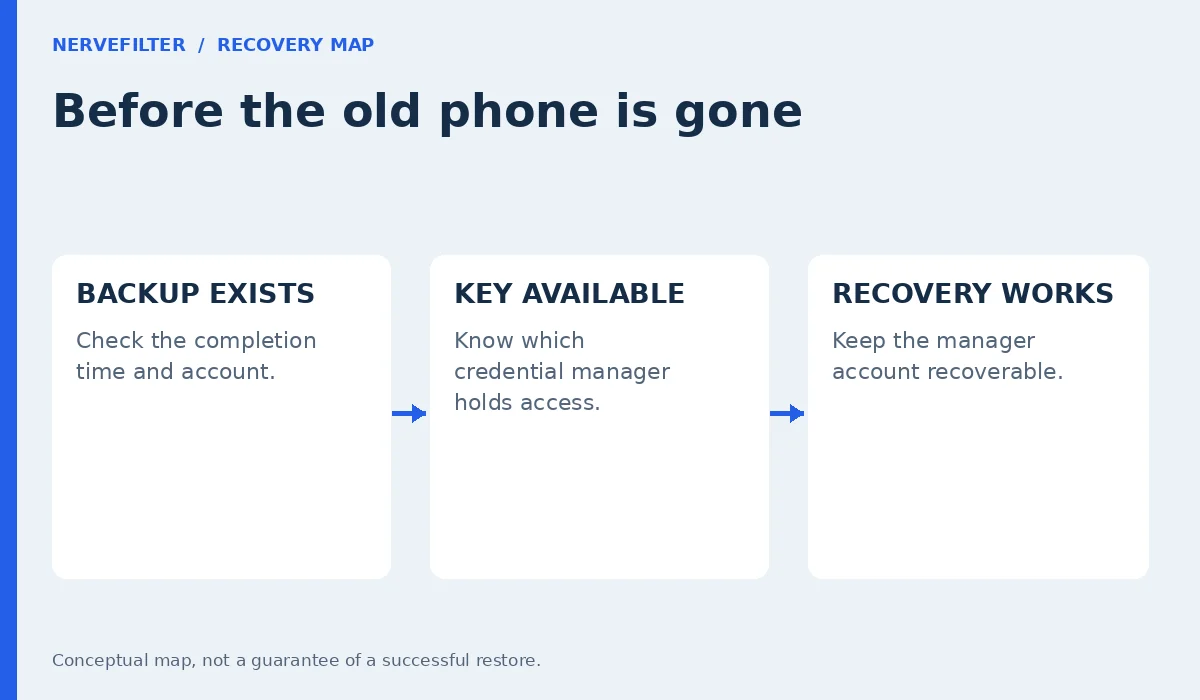
Open WhatsApp directly and inspect its chat-backup screen before changing anything. Note whether a backup is enabled, which cloud account it uses and the time of its most recent successful completion. An enabled schedule and a completed copy are different observations. A screen that is still preparing or uploading is not a finished recovery point.
Also compare the backup time with the conversations you need. A successful copy from weeks ago will not contain messages that arrived yesterday. If the screen reports an error, address that error while the original chats remain accessible. Do not assume that changing the encryption option fixes a storage, connection or account problem that prevented the backup from completing.
Check the encrypted-backup setting itself
WhatsApp’s documented route starts at Settings → Chats → Chat backup → End-to-end encrypted backup. Read the state displayed there and the options your installed version offers. If a passkey option is available, use the prompts inside the app. Menu wording and availability can vary, so an article screenshot from another phone should not override your own screen.
Avoid following a message that offers to “activate backup protection” on a website. A genuine feature check begins inside your own WhatsApp app. If the expected option is absent, use the official help information and obtain updates through your normal app store. Do not install a modified WhatsApp package or a so-called passkey enabler to make a missing setting appear.
Know which credential manager receives the passkey
When a passkey is created, pay attention to the credential-provider prompt. You need to know which manager and account hold it. People who use a personal Google account, a work account and another password manager can otherwise remember creating a passkey without remembering where it went. That uncertainty matters when the replacement device starts with a different account.
Use the manager’s own interface to inspect the relevant entry if it exposes one. Record the provider and account name in a private recovery note, but do not photograph secret material or publish a screenshot of the account. You are building a map of dependencies. You do not need to copy a credential into a document to prove that the dependency exists.
A phone unlock is not the whole recovery plan
Face recognition, a fingerprint or a screen-lock code may authorize use of a passkey on the current device. That convenient moment can hide another requirement: making the credential available on the next device. A biometric prompt working today does not demonstrate that an account can be recovered after the phone is lost, damaged or replaced.
Google describes supported passkeys as backed up and synchronized through Google Password Manager. Apple describes passkey synchronization through iCloud Keychain. Those are provider-specific systems with their own account and device requirements. Check the documentation for the provider you actually chose rather than assuming that every manager synchronizes credentials in the same way or across every platform.
Protect access to the manager account
Review the recovery methods for the account that holds your credential manager. Check that the recovery email and phone details are yours and still usable. If that account can only be recovered through the phone you are about to erase, you have found a dependency worth fixing before the change. A recovery plan should survive the failure it is designed for.
Keep any supported recovery material in a secure place you can reach without opening WhatsApp on the missing phone. Do not put the only copy in a chat with yourself and assume that it will help restore that same chat history. You can document where recovery material is stored without placing passwords and codes together in an unprotected note.
Enable protection without discarding the working copy
If you choose the passkey option, finish the in-app setup and read the confirmation. Keep the original phone and its current WhatsApp installation intact while you check the resulting backup state. Do not turn a settings change into an experiment involving uninstalling the app, clearing its data or erasing the phone just to see what happens.
After setup, return to the backup screen and check whether the backup operation completed. Note the updated time and the encryption state separately. If the app presents an error or an unfinished operation, preserve those details and consult the relevant official instructions. Repeating unrelated recovery changes can make it harder to identify which part of the process failed.
Prepare for a planned phone replacement
Before starting a move, make a short readiness record: the WhatsApp number, the backup account, the latest completed backup time, the protection method and the credential manager. Keep this record private. It should describe the arrangement clearly enough that you do not have to guess while a shop assistant is waiting to accept the old phone.
Then follow WhatsApp’s current transfer or restoration instructions for the actual old and new devices. A direct device transfer and restoration from a cloud backup are different routes. Choose the route documented for your situation instead of mixing steps from several tutorials. Retain the old phone until you have checked the conversations and media you consider essential on the new one.
A platform change needs its own instructions
Moving between Android and iPhone adds another question: whether the chosen transfer method supports that move. A synchronized passkey does not establish that one platform’s chat-backup format can be restored through another platform’s normal cloud-backup workflow. The backup credential and the transfer compatibility are separate requirements.
Check WhatsApp’s current instructions for the direction of the move before setting up or erasing either phone. Avoid a universal promise that “the same account brings everything back.” If the documented procedure requires an initial setup state or a particular transfer sequence, plan around it. Ask the official support route about an uncertain requirement while the original data is still available.
If the passkey does not appear on the new phone
Start by checking the selected credential provider and account. A device can be signed in to one account for cloud storage and another for a password manager. Confirm the provider’s synchronization and unlock requirements through its own settings. Do not repeatedly delete and recreate entries while you are unsure which entry protects which purpose.
Keep the old device signed in and available if it still works. Record the exact error on the replacement phone without sharing private account information publicly. WhatsApp warns that an encrypted backup cannot be accessed without its required password, encryption key or passkey. A paid stranger cannot legitimately bypass that design merely because you supply the backup file.
Linked devices are a different security check
Backup protection does not tell you whether an unwanted linked device currently has access to your account. If your concern began with unfamiliar activity, review linked devices and account access through the relevant WhatsApp controls as well. Encrypting a saved copy is not a substitute for investigating an active session.
Likewise, finding an unfamiliar session does not prove that your cloud backup was decrypted. Keep the observations separate: what device was listed, what changed, what credentials might have been exposed and what backup state you can actually see. This makes a support report more useful and avoids a drastic data-erasure step based on an assumption.
Ignore offers to recover an encrypted backup for a fee
Someone who learns that you cannot restore messages may promise a special key, an internal contact or a remote-access repair. Do not hand over your screen-lock code, cloud-account password, verification codes or access to an unlocked phone. The offer may expose the accounts that remain secure without restoring the missing conversations.
Use the support route reached through the app or the official help center. Share the error message and non-secret device details that support requests. If a person asks you to approve an unexpected account login during a “backup check,” stop and verify the contact independently. A recovery conversation should not require surrendering control of unrelated accounts.
Leave a recovery note that explains the arrangement
A useful note answers five questions without containing every secret: which account owns the backup, when it last completed, how it is protected, where the credential is managed and which official instructions apply to a replacement. Add the date you checked the arrangement. Update the note when you change the number, cloud account or password manager.
The practical finish is a completed backup and a recovery route you understand while the original phone still works. Keep that working device until the move is verified. Passkeys can make a task easier, but the readiness check remains the same: preserve the chat copy, preserve access to its protection and avoid creating a single point of failure during the handover.
Questions that come up before a phone change
Does creating a WhatsApp account passkey encrypt my backup?
Do not infer one setting from the other. Check the end-to-end encrypted-backup screen directly and read its current protection state. Account sign-in and backup recovery serve different purposes, even when both use passkeys. If the backup screen reports no completed backup, an account passkey does not create the missing chat copy.
Can I erase the old phone as soon as backup setup finishes?
Keep it until you have followed the supported move and verified the important conversations on the replacement. A setup confirmation alone does not demonstrate that the copy is recent or that the new phone can restore it. Keeping the original working device gives you a way to investigate an error without immediately losing the accessible chat history.
Is a passkey the same as the device’s fingerprint?
A fingerprint can authorize use of a credential, but it is not a portable copy of that credential. The manager and its account determine how supported passkeys become available elsewhere. Check that provider’s recovery requirements. Knowing that biometric unlock works on one phone does not answer what happens after that phone disappears.
Will the passkey bring chats from Android to iPhone automatically?
Do not assume that it will. Cross-platform transfer support and backup decryption are separate issues. Use the official transfer procedure for the devices and direction involved. A credential being available on a new platform is not proof that the ordinary cloud restore on that platform supports the old backup.
What should I do if I cannot locate the backup credential?
Preserve the working old phone and inspect the manager and account used at setup. Consult the official help for the protection method shown in WhatsApp. Do not delete credentials or pay a stranger to bypass encryption. If recovery is unavailable, keep the remaining accessible data intact while you confirm the supported options.