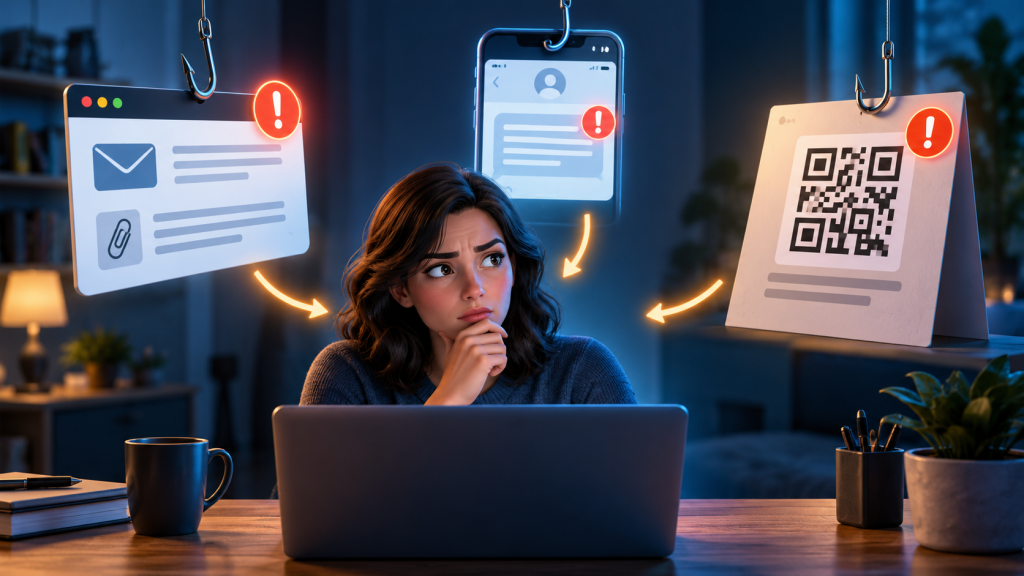
Phishing, smishing, and quishing are not three unrelated threats. They are versions of the same basic method: a sender creates a believable reason for you to trust a message, then tries to move you into an action that benefits the attacker. The delivery mechanism changes—email, text, or QR code—but the request underneath is usually for a login, payment, download, verification code, or conversation with a fake support agent.
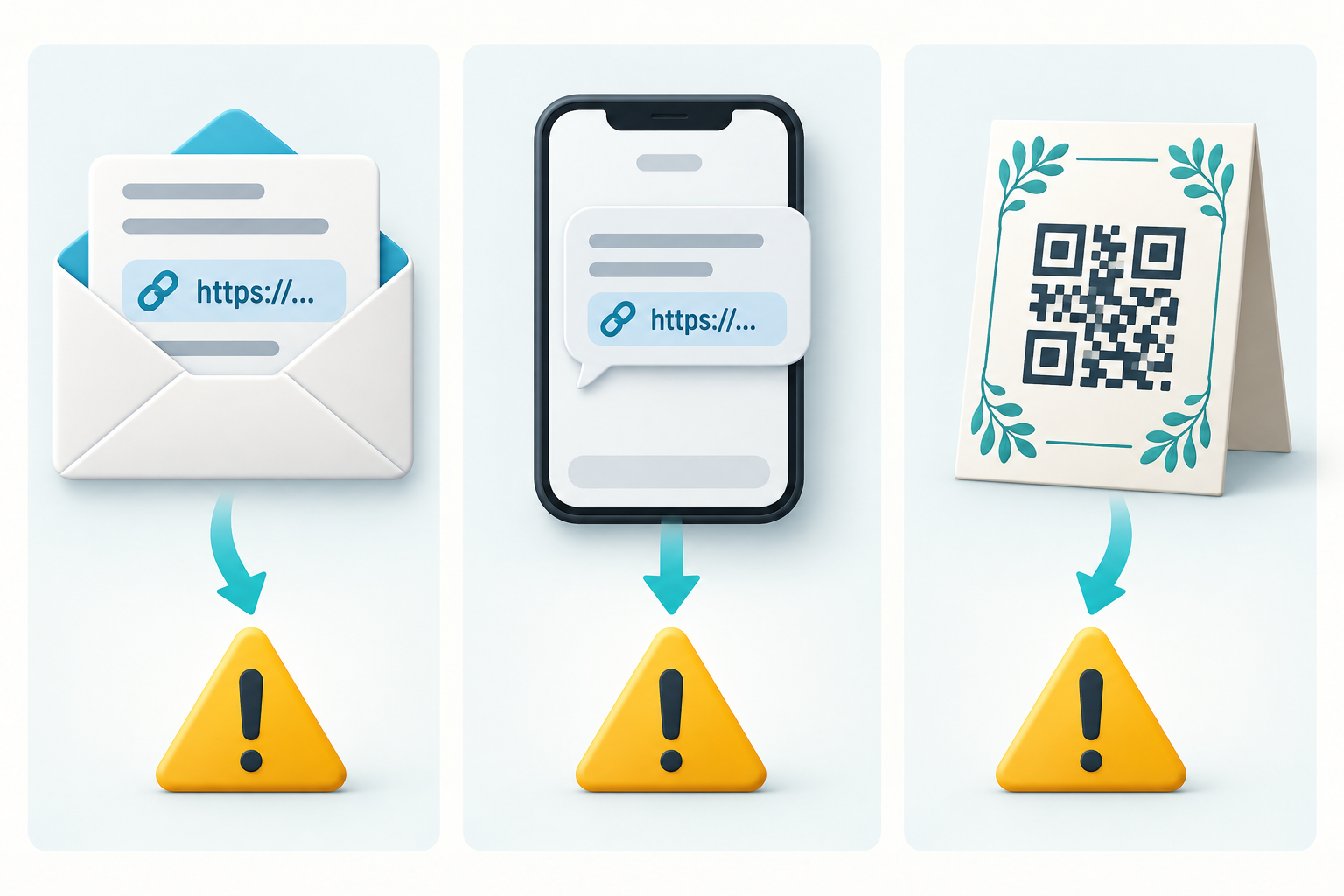
Knowing the names is less important than recognizing how each channel changes what you can see. An email can hide a destination behind linked words. A text can feel immediate and personal. A QR code can conceal the destination until a phone scans it. This guide compares those differences and shows what a safe response looks like before and after interaction.
The shared pattern behind all three
Most message-based attacks can be reduced to four stages:
- Pretext: a delivery problem, security warning, refund, invoice, job, prize, tax notice, colleague request, or urgent family need.
- Pressure: act now, keep the matter private, avoid account closure, prevent a charge, or claim a limited benefit.
- Transfer: leave the normal channel by opening a link, scanning a code, calling a number, installing an app, or moving to another messaging service.
- Extraction: surrender a password, approval, payment, identity detail, session, or access to the device.
A polished logo, correct grammar, real order number, or known contact name can appear in any stage. Those details make the story smoother; they do not independently verify the sender.
Phishing: the broad email-shaped attack
In everyday use, phishing often means a deceptive email, although the word is also used for the wider family of social-engineering attacks. A phishing email can imitate a bank, cloud service, employer, retailer, tax authority, streaming platform, or person you know.
Typical examples include:
- a password-expiration notice with a “Keep current password” button;
- a shared document that asks you to sign in again;
- an invoice attachment with instructions to enable content;
- a payroll or bank-detail change sent in an executive’s name;
- a security alert whose “review activity” link leads to a copied login page;
- a support message that asks you to call a fake fraud department.
Email gives an attacker room for branding, footers, disclaimers, and a detailed story. It also allows the visible link text to differ from the actual destination. The display name may say a familiar company even when the sending address belongs to an unrelated domain.
What to inspect in an email
Read the complete sender address, not just the display name. Hover over a link on a computer when you can do so without clicking, but do not depend on hover as your only defense: long links can be confusing, tracking redirects can hide the final destination, and a compromised legitimate account may send a harmful message from a real address.
Check whether the request fits your normal process. A colleague who normally uses a purchasing system should not suddenly need gift cards by email. A cloud service should not require your password inside an attached form. Verify the claim through the known app, website, directory, or phone number.
Smishing: phishing delivered through messages
Smishing combines SMS and phishing, but the same pattern also appears through RCS, iMessage, WhatsApp, and other messaging platforms. The small screen and conversational format can hide information that would be more obvious in an email.
Common smishing stories include:
- a parcel needs a small redelivery fee;
- a toll, traffic violation, or tax payment is overdue;
- a bank detected a transaction and needs a reply;
- a job recruiter offers easy remote work;
- a wrong-number conversation becomes friendly and later introduces an investment;
- a message claims a family member has a new number;
- a service says an account will close unless you verify it.
Phone numbers and sender names are not reliable proof. Sender information can be spoofed, recycled, displayed differently by networks, or sent from a compromised messaging account. A message may even land in an existing thread associated with a real organization on some systems.
Why replying can make the situation worse
A reply tells the sender that the number is active and that someone is reading. It can also begin a persuasion sequence in which the attacker adapts the story to your questions. Do not reply “STOP” to an unexpected questionable message unless you have independently confirmed it is a legitimate subscription sender. Use the phone’s report-junk or block feature and your carrier’s reporting method instead.
In the United States, the FTC and FCC direct consumers to forward many unwanted scam texts to 7726, which spells SPAM. Reporting routes differ by country and carrier, so use the official local guidance for your service.
Quishing: the destination is placed inside a QR code
Quishing is phishing that uses a QR code to deliver the link or instruction. A code is not inherently suspicious. Restaurants, event tickets, device sign-ins, payment systems, and product manuals use QR codes legitimately. The risk comes from the destination and the social-engineering context.
A malicious code may be:
- printed on a sticker placed over the genuine code on a parking meter or payment terminal;
- included in an email to avoid ordinary link scanning;
- sent in a text about a parcel or traffic fine;
- printed on an unexpected package or letter;
- shown on a fake support page to authorize a messaging or account session;
- used as a payment address that sends money to the attacker.
The UK National Cyber Security Centre notes that QR codes can disguise malicious destinations, may bypass tools that do not scan images, and often move the victim from a protected work computer to a personal phone. That channel switch is part of the risk.
What scanning does—and does not do
On many modern phones, scanning first displays a destination for you to review. Opening that destination is a separate action. However, previews can be abbreviated, domains can be deceptive, and a page can change after loading. Use the camera or scanner built into the phone rather than installing a random QR-scanner app.
Do not scan a code merely to discover whether a threat is real. If the code claims to be from a bank, delivery company, parking operator, government agency, or account provider, open the known service independently. For a physical code, look for a sticker, mismatched print, damage, or placement that could cover the original, but remember that a professionally printed code can still be malicious.
A side-by-side decision test
Regardless of the label, ask the same questions:
- Who chose the route? Did you open the official service, or did the message choose the link, number, or code?
- What is the irreversible action? A payment, credential entry, approval, app installation, or transfer deserves verification before it happens.
- Can the claim be checked elsewhere? Real deliveries, transactions, account alerts, and fines should have an independent record.
- Does the channel fit? Sensitive organizations usually have established apps, portals, and support routes.
- What happens if you pause? A sender who tries to prevent outside checking is creating risk, not resolving it.
Examples that show the differences
The delivery problem
An email may display a courier logo and hide a fake address behind “Reschedule.” A text may offer a shortened link and demand a small fee. A QR code on a card may say the parcel cannot be identified until scanned. The safe response is identical: open the order or courier site independently using a tracking number you already have.
The account alert
An email may attach a security report. A text may ask whether a purchase was yours and provide a callback number. A QR code may promise a faster password reset. Instead, open the institution’s app and inspect activity. Never give a caller the verification code generated during that check.
The workplace document
An email may share a fake cloud file. A messaging app may say a manager needs an immediate review. A QR code may be presented as a new authentication step. Contact the person through your normal work channel and report the item to the security team.
If you did not interact
Preserve what your organization or reporting service needs, then use the platform’s report-spam or report-phishing function. Block the sender where appropriate. Do not forward a live harmful link casually to friends; that increases exposure. If you warn someone, describe the message and use a screenshot with personal information and codes removed.
The 12-point scam-message check provides a fuller evaluation when the story still seems plausible.
If you clicked or scanned but entered nothing
Close the page. Do not grant notification, camera, accessibility, profile, or app-install permissions. Check the browser’s downloads and remove an unexpected file without opening it. Update the device and browser. If a file ran, an app or profile was installed, or the device behaves unexpectedly, follow the platform or organization’s malware-response guidance rather than continuing to use it for sensitive logins.
A click does not always mean compromise. Risk depends on what the page did, what the device allowed, and what you did next. Record the address and time if you can do so safely, then report it.
If you entered a password or approved a sign-in
From a trusted device, change the affected password immediately and change it anywhere it was reused. End unknown sessions, review devices, remove unfamiliar recovery methods, and inspect connected apps. For an email account, also check forwarding rules, filters, delegates, sent mail, and deleted items.
If you approved a multi-factor prompt or scanned a code that linked another device, revoke that device or session explicitly. A password change alone may not remove every authorized session.
If you paid or shared financial information
Contact the bank or payment provider using its official app or a verified number. Explain exactly what was shared and how the payment was made. Card, bank transfer, cryptocurrency, and gift card transactions have different response options and time limits. Save transaction records and report the fraud through the appropriate national service.
Reduce exposure across all three channels
- Use unique passwords and a password manager so a fake domain does not silently receive a reused credential.
- Enable phishing-resistant authentication such as passkeys or security keys where practical.
- Keep operating systems, browsers, messaging apps, and security tools updated.
- Turn on spam filtering, but treat it as assistance rather than proof.
- Limit sensitive previews on the lock screen.
- Teach a shared verification habit at home and work: stop, leave the message, and use a known route.
The label is not the diagnosis
“Phishing,” “smishing,” and “quishing” describe delivery. They do not tell you whether the attacker wants a password, money, malware installation, account approval, or a longer conversation. Diagnose the requested action and the verification path. Once you do that, a new format becomes less confusing: the wrapper changes, but the decision rules remain stable.